Sender Profiles: messaging for each of your customers, from one Sent account
If your product sends messages for other businesses, a Sender Profile holds the registration, numbers and channels for each one - so adding a new customer is one API call.

Emily Z
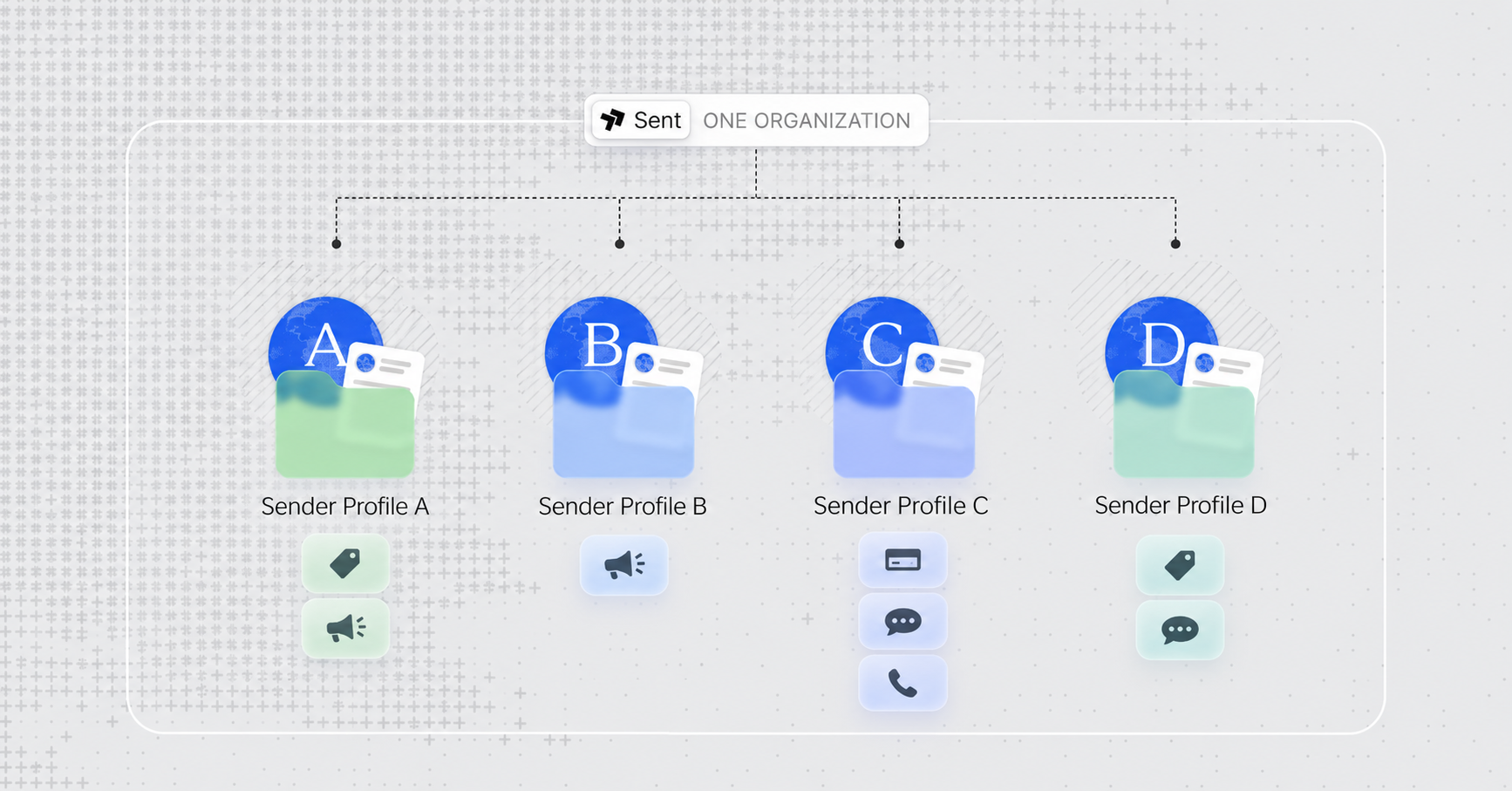
Many of our customers build messaging and calling into their own product, so the businesses using their product can text and call their customers. A marketplace texts shoppers on behalf of its sellers. A booking tool sends reservation reminders for every restaurant on it.
We made Sender Profiles for this.
To text or call under one of those businesses’ names, you normally need a sub-account, a registered business, a way to bill them and a phone number. In legacy tools each lives in a different place, and your team has to track which belongs to whom and pick the right one every time a message goes out.
Sender Profiles keep it all in one place, under one customer record. It has the business details, the carrier registration (10DLC in the US), the phone numbers, and the channels the customer sends or calls on. Setting up the 100th customer is the same work as the 1st.
Pick what profiles share with you and what they own
You have full flexibility over what is shared and what is dedicated, customer by customer: billing, business registration, campaigns, phone numbers. Each can come from your organization, belong to that customer alone, or stay unconfigured.
The inheritance rules come from how US registration is split up. In the US, a brand says who the business is and a campaign says what it sends, so an agency with one legal entity and a different use case per client inherits the brand and registers a campaign per profile.
A platform whose customers are separate companies registers both per profile, because the registry ties a campaign to the business responsible for the messages.
On the API, inheriting is opt-in and takes no id, because your organization has exactly one brand:
{
  "compliance": {
    "brand": { "inherit": true },
    "campaign": { "inherit": true }
  },
  "billing": { "inherit": true }
}
Profiles can never see each others’ contacts or templates. Each customer’s list belongs to that customer alone. From the organization level, you can see all of them.
How it works
Create the profile. It takes one request, and the only required fields are a name and a short name, which becomes the SMS sender ID. You can also give the profile its first country and number type, and choose what it inherits from your organization:
curl -X POST https://api.sent.dm/v3/sender-profiles \
  -H "x-api-key: $ORG_API_KEY" \
  -H "Idempotency-Key: create-kevins-donuts" \
  -H "Content-Type: application/json" \
  -d '{
    "name": "Kevin’s Donuts LLC",
    "short_name": "KEVINS",
    "description": "Order updates and pickup notifications",
    "billing": { "inherit": true },
    "channels": {
      "sms": { "country": "US", "number_type": "TEN_DLC" }
    },
    "compliance": {
      "brand": { "inherit": true },
      "campaign": { "inherit": true }
    }
  }'
The response carries the profile’s ID and its own API key. The key is returned once, here, and never again. A 201 means nothing needed registering and the profile is ready. A 202 means something is provisioning - such as a 10DLC number waiting on campaign approval.
The profile appears in your dashboard immediately on the Profiles page, with its channels and their status. A customer that inherits everything shows as complete on the spot. One that registers its own brand shows anything still pending.
You can add the configurations dedicated to that profile, like a dedicated campaign, WhatsApp Business Account, or second country. It’s an API call on the profile, or a few clicks with that profile selected in the dashboard. Everything stays under the same profile, so your application never reconciles one customer across a billing account or compliance record.
Read where each channel stands. GET /v3/sender-profiles/{id} reports status per market rather than one flattened status for the profile, because a customer can be live in one country and mid-registration in another:
If a channel is waiting on something from you, send just the missing fields in a PATCH and the rest is left as it was. The same steps in the dashboard are in Creating a Sender Profile, and every field and status is listed in Create and activate Sender Profiles via the API.
Send messages on behalf of a customer
You don’t need a new API key for each customer. Use the one you already have, and tell Sent which customer the request is for by adding their profile id in an x-profile-id header.
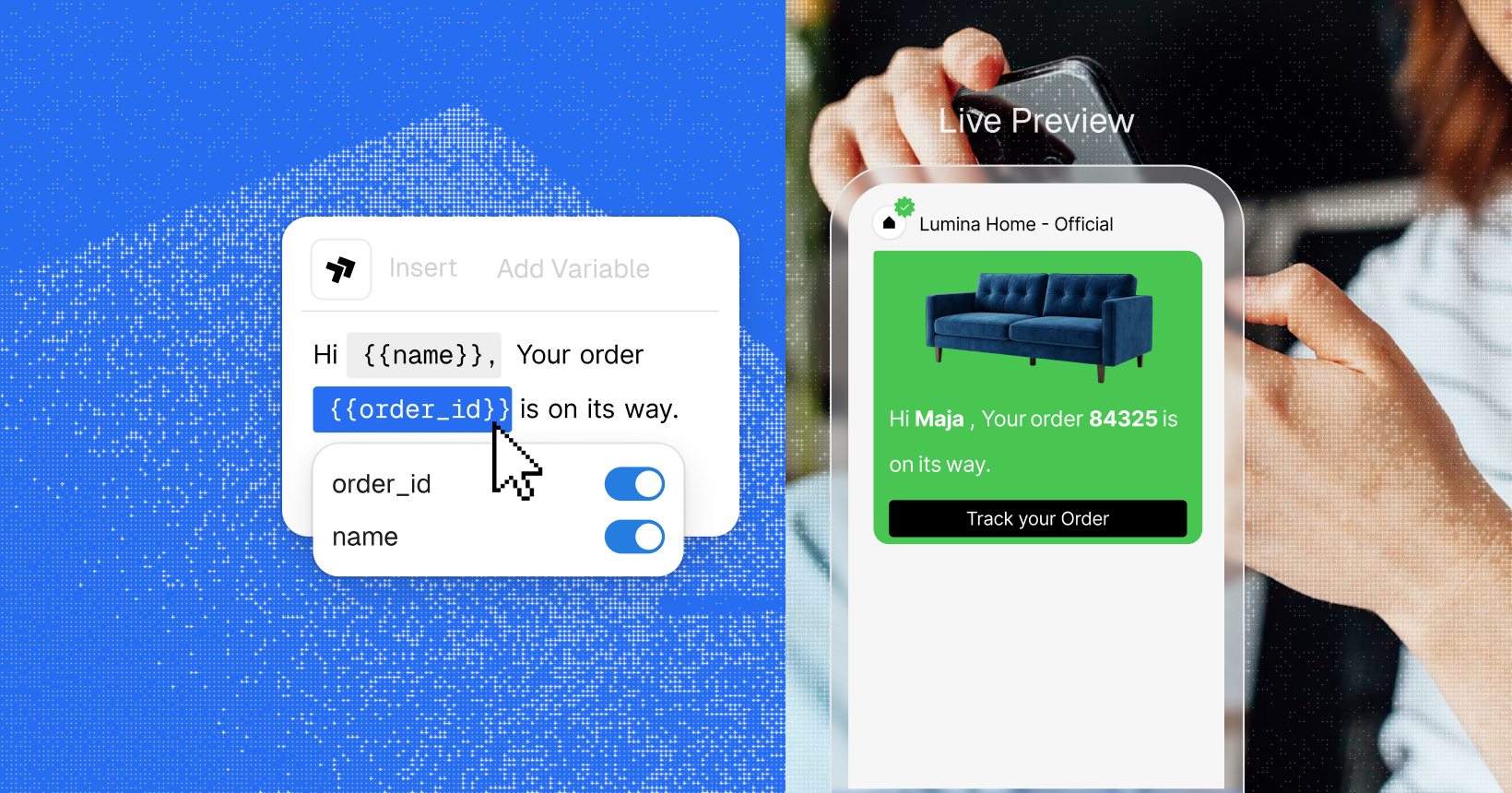
That works for anything you do on their behalf, whether that’s sending a message, adding a contact or creating a template:
curl -X POST https://api.sent.dm/v3/messages \
  -H "x-api-key: $ORG_API_KEY" \
  -H "x-profile-id: $PROFILE_ID" \
  -H "Content-Type: application/json" \
  -d '{
    "to": ["+14155551234"],
    "template": {
      "name": "order_ready",
      "parameters": { "name": "Maja", "order_id": "84213" }
    }
  }'
Sent scopes the whole request to that customer. The message goes out from that customer’s number or WhatsApp account, under their sender id, using their contacts and templates. The response confirms which customer it ran as in an X-Profile-Id header. You don’t store credentials for each customer, run a service for each one, or write a separate integration for each sub-account.
In your logs, it reads like this:
If you would rather hand a customer their own credentials, every profile also has the API key that create returned. A profile key sees only its own profile and can’t use x-profile-id.
An organization key can address any profile in the organization and nothing outside it, whereas a foreign ID reads as 404.
Webhooks carry the profile too, so delivery events and inbound replies arrive already attributed to the right customer. We cover the mapping between your customer ids and profile IDs, and how to attribute webhooks, in Integrating Sender Profiles into Your Application.
Where to start
Sender Profiles come with every organization account, through the API and the dashboard. Onboarding a customer is one request, and the same request for every customer after that.
If you built on /v3/profiles, your integration keeps working. The new /v3/sender-profiles endpoints drop the create-then-complete step and the callback that went with it, and the migration notes are at the end of the API guide.
The docs go into more detail than this post does: